
djsnake
A self-hosted Discord music bot that plays YouTube, Spotify, SoundCloud, Bandcamp, Deezer and Apple Music links, or plain text searches, in your voice channel, with a live clip page that shows the video in sync.
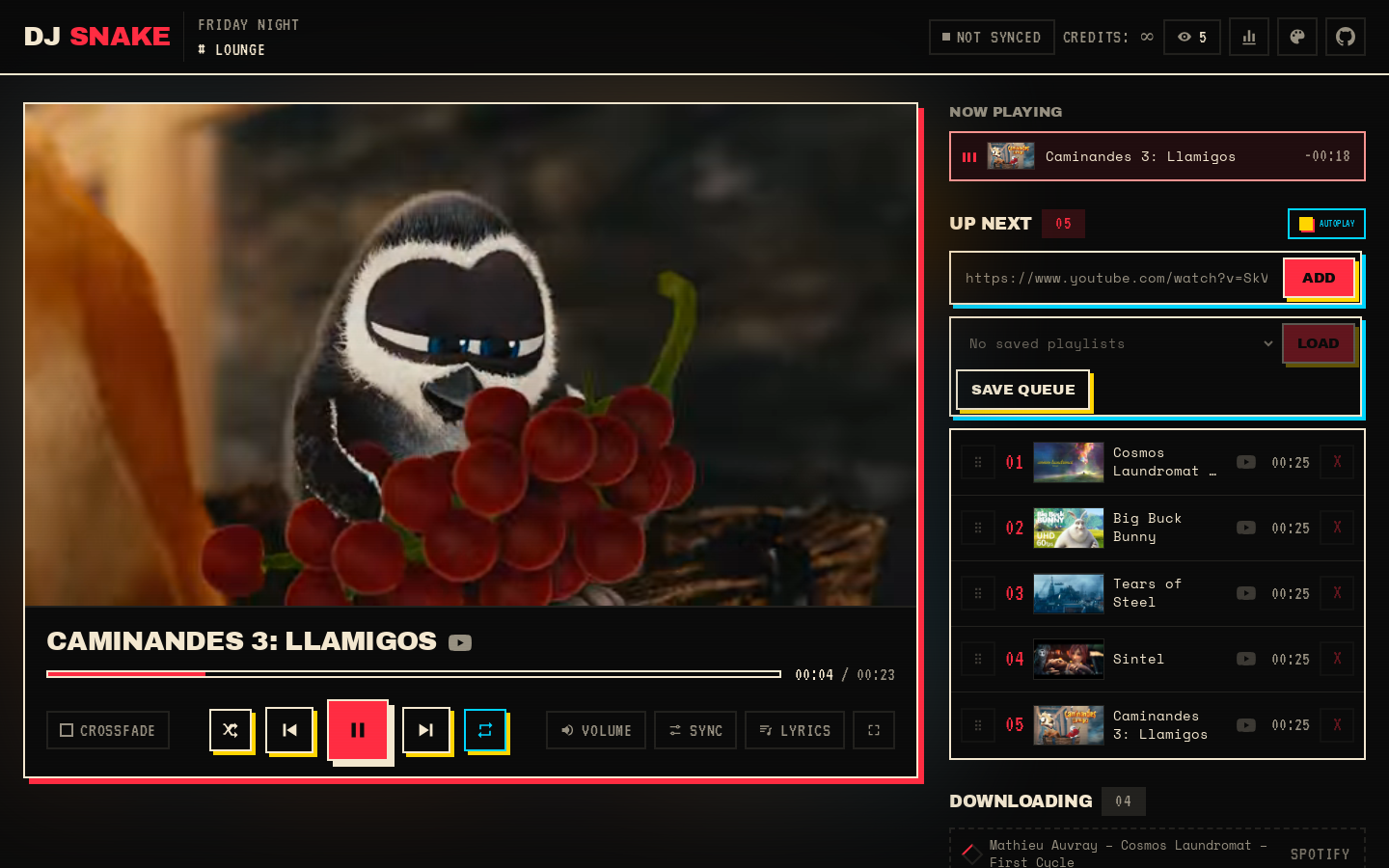
Try the live demo (a simulated Discord channel and a real clip page, running in your browser) or visit the project page.
What you get
Section titled “What you get”- Spotify playlists, albums and tracks. Paste a link and the bot finds every song on YouTube, preferring the official music video, with no Spotify account or API key needed (details).
- SoundCloud, Bandcamp, Deezer and Apple Music links too, without any account (details).
- YouTube URLs and playlists. Tracks are fully downloaded before they play (no streaming).
- An independent queue per server.
- A live clip page: a muted video synced with the audio, plus web controls (next, previous, pause, resume, seek, jump, remove, reorder, add, shuffle, loop) (details).
- Automix, always on: SponsorBlock
music_offtopicsegments are cut, loudness is normalised to -14 LUFS, leading and trailing silence is trimmed, and tracks fade in and out. - Optional crossfade between tracks.
- Loop and shuffle: repeat a track or the whole queue, or shuffle what is coming up.
- Optional autoplay: a related track plays on when the queue runs out.
- 24/7 mode: the bot can stay in its voice channel for good, restarts included.
- Volume from 0 to 150%, remembered per server.
- Audio filters: bass boost, nightcore, vaporwave, 8D, karaoke, soft or a 3-band equaliser.
- Saved playlists: save the queue under a name and load it again later.
- Plain text search:
!play never gonna give you upqueues the best YouTube match. - Slash commands: every command works as
!nameand/name. - Optional Last.fm scrobbling, per user, for everyone listening in the voice channel (details).
- Synced lyrics over the clip, from LRCLIB (
LYRICS=0turns them off). - Live updates: the clip page follows the queue in real time, with no refresh.
- View-only link and DJ role: share a page that cannot control playback, and limit who can skip, stop or change settings.
- English, French, Spanish and German, chosen per server with
!language. - Health check and metrics:
GET /healthzfor Docker, and optional PrometheusGET /metrics. - Listening stats per server on the clip page: top tracks and artists, the most skipped track, hours played, sessions, peak listeners and a day-by-hour heatmap.
- Themable clip page: eight presets plus a custom look with your colors, name and logo.
- One live status message per session, edited in place instead of spamming the channel.
- Self-healing YouTube access: yt-dlp upgrades itself on start, and a PO token sidecar handles YouTube’s bot check (details).
Where to start
Section titled “Where to start”- Install the bot with Docker Compose in a few minutes.
- Tune it with the configuration reference.
- Learn the commands and the clip page.
- If something goes wrong, see Troubleshooting.
djsnake is released under the MIT license. The source code is on GitHub.